
Name-Based Case Searches
The iDocket main menu lays out the vendor's search options. You can hunt by plaintiff or defendant name, with exact-match and "sounds like" modes. It also lists searches by court, county, file date, attorney, and bondsman. Treat these as the vendor's own descriptions. They are not a verified map of the Presidio County form. Some routes push you through login or session screens first.
- Identify whether the matter belongs to District, County, JP, or municipal court.
- Open the appropriate search route and start with the most exact name available.
- Use court or county limits where the interface offers them.
- Compare the cause number and case type before relying on a match.
- Ask the proper clerk to confirm the record and obtain any needed copy.
A name alone is a blunt tool. It can pull up strangers with similar names, or miss a record because of spelling, coverage, access limits, or restrictions. Use the docket to understand one public case, nothing more.
Presidio County iDocket Entrances
iDocket offers simple, docket, case, and advanced search entrances. What you actually hit are redirects and login gates. There is no stable public Presidio County form. So check required fields and costs live before counting on any route. The vendor also states plainly that it runs independently. It does not act as an agent of any clerk or court. The vendor search menu shows the available routes and that disclaimer.

Treat the menu as a doorway, not a destination. For an official Presidio County record, the District Clerk or County Clerk remains the source.
Case Number Searches
A cause number is the sharpest tool for a Presidio County docket search, since it points to one court file and nothing else. Type it exactly as printed, punctuation included. No public redacted Presidio County case establishes a single universal format, so resist the urge to guess at year or case-type segments. A safe entry looks like exact cause number from notice.
When the number comes up empty, look at the court named on the notice. District records sit with the District Clerk, County Court and probate files with the County Clerk, and JP or municipal matters stay with those courts. Clerk staff can tell you whether the number was mistyped, changed through a transfer, or simply belongs somewhere else in the Presidio County court records system.
Presidio County Search Coverage Dates
Coverage varies by case class. iDocket reports County misdemeanor records from February 1, 2005. County civil coverage starts January 1, 2010. County probate runs from September 1, 2010. District felony, civil, and family coverage starts January 1, 2011. These are vendor dates, not a promise that every filing or image is there. The Presidio coverage page shows the category dates.
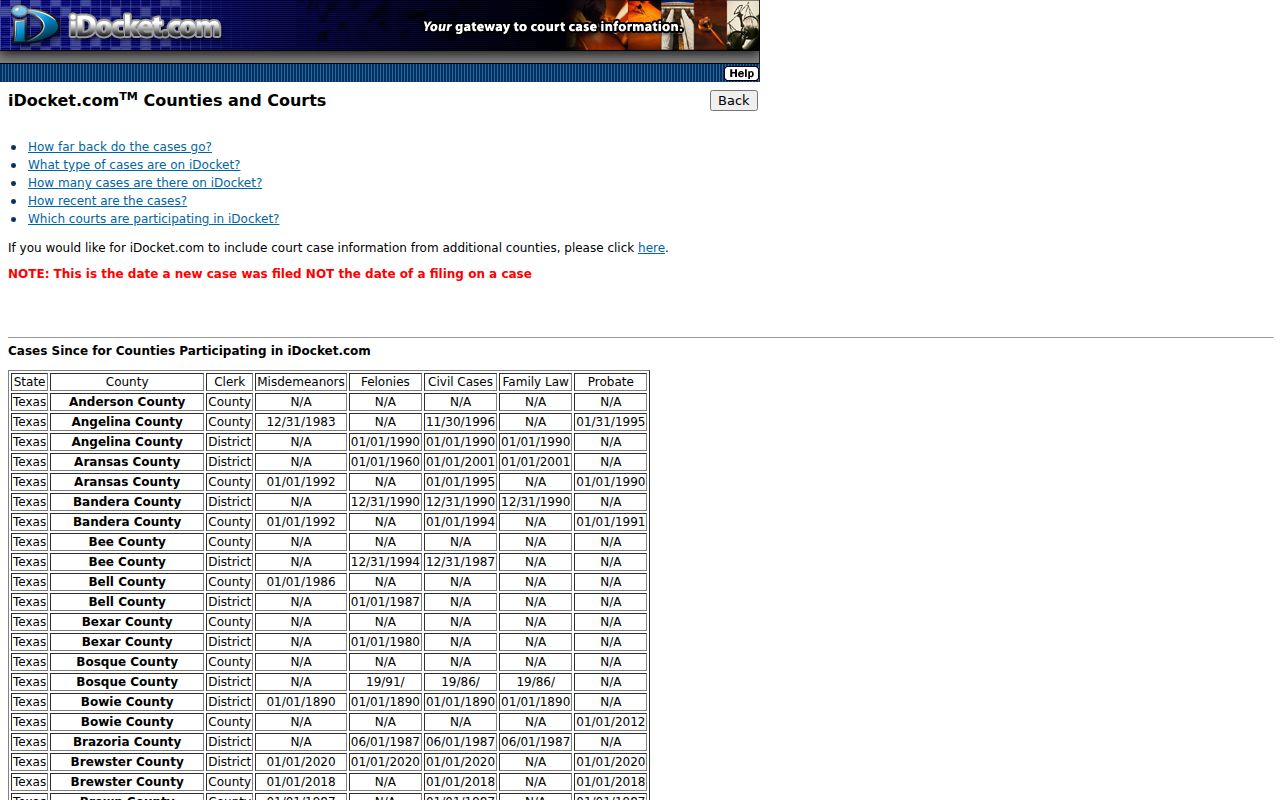
Got an older case or one outside those labels? Take it straight to the clerk's office rather than assuming it does not exist.
Case Search Results Explained
A search result may name a case without opening the whole file. Read entries in order. Tell a filed claim apart from a judgment.
| Cause number | The court-assigned identifier, copied exactly. |
|---|---|
| Case style | The caption and party roles, such as plaintiff and defendant. |
| Case type | District criminal, civil, family, County, probate, JP, or municipal category. |
| Filed date | The date the matter or item entered the record. |
| Status | A current label that must be read with the latest orders and docket entries. |
| Setting | A hearing type, date, time, place, and reset status if published. |
"Filed" does not mean proved. "Closed" does not mean sealed. A docket index may leave out images or lock them behind registered access.
Presidio County eFileTexas Status
The eFileTexas active-courts table lists civil filing as mandatory for Presidio County district, county, probate, and justice courts. Those rows carry a "Limited" label for public search. District and county criminal filing shows as mandatory too. Remember, the table describes filing and system status, not a full name-search tool.
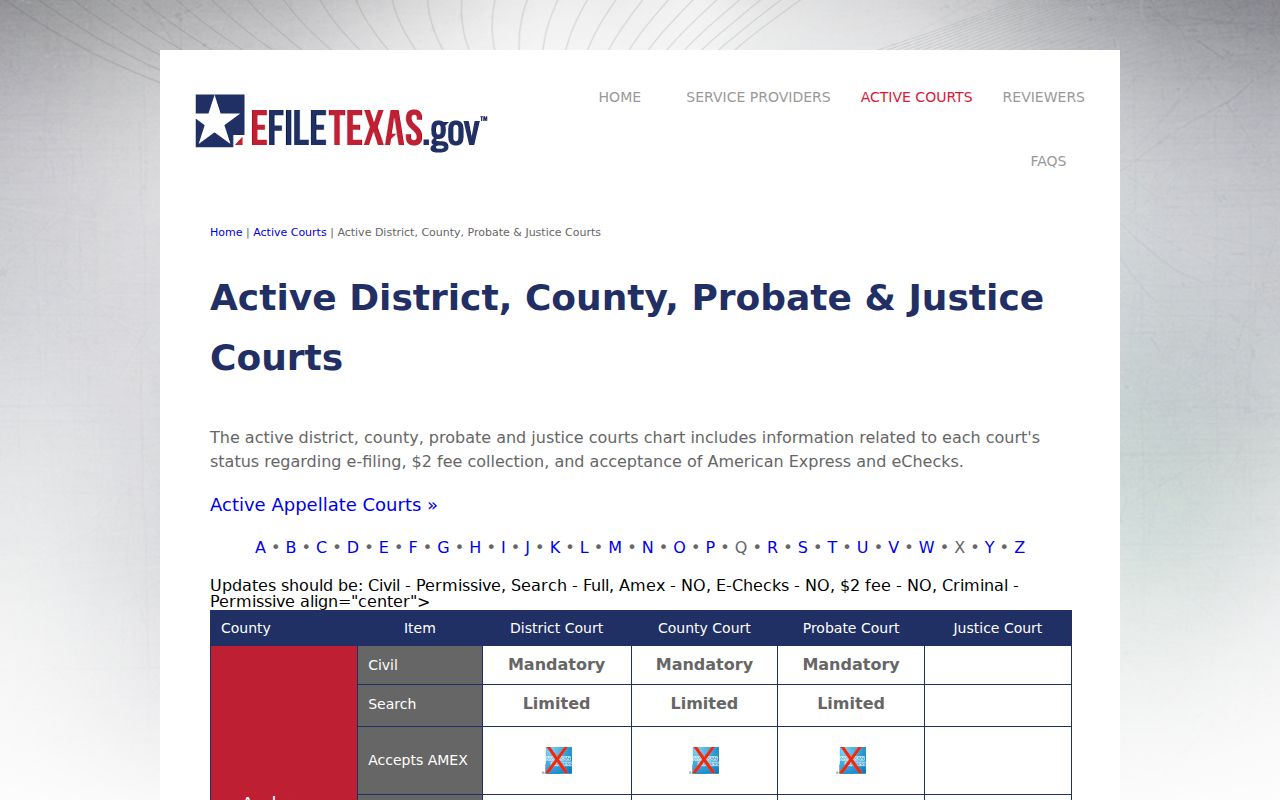
That status row explains a common puzzle: a case gets filed electronically while public document access stays limited.
Two Ways to Search: County and State
Presidio County gives searchers two routes. The local option runs through a vendor-facing portal, while re:SearchTX serves as the statewide court-record research system. The state platform sits behind a login wall, so its anonymous search fields, account rules, costs, and exact Presidio County docket coverage remain unclear until you register.
| Route | Known scope | Limit |
|---|---|---|
| iDocket | County and District categories with vendor-described search modes | Login, fields, cost, and completeness require live confirmation |
| re:SearchTX | Statewide research system | Account access and Presidio record coverage require verification |
| Clerk request | The specified court file | Subject to access rules, redaction, and copy procedures |
Use the portal to spot a likely case. When identity, completeness, certification, or a document image matters, go to the clerk that originated the file.
Presidio County Court-Level Search Map
Search the right office and skip the most common dead end. The city of Presidio, Presidio County, and JP2 in Presidio are separate offices. They are not interchangeable.
| Court | Typical record | Custodian |
|---|---|---|
| 394th District Court | Felony, district civil, family, juvenile | Presidio County District Clerk |
| Constitutional County Court | County criminal, civil, probate | Presidio County Clerk |
| JP1 or JP2 | Fine-only, traffic, small claim, eviction | Relevant justice court clerk |
| Marfa or Presidio Municipal Court | City ordinance and fine-only matters | Relevant municipal clerk |
Appeals from state trial courts go to the Eighth Court of Appeals in El Paso. Federal cases belong to the Western District of Texas and PACER, outside the county search paths.
Presidio County OCA Directory Checks
The Texas OCA judicial directory and its CARD system serve two narrow jobs. They verify a court's identity and publish aggregate activity counts. You cannot search them by a private party's name. CARD data may show filed, disposed, or pending case counts for a reporting period. It does not expose any individual docket. The Texas judicial directory is the current route for confirming a court and its staff.
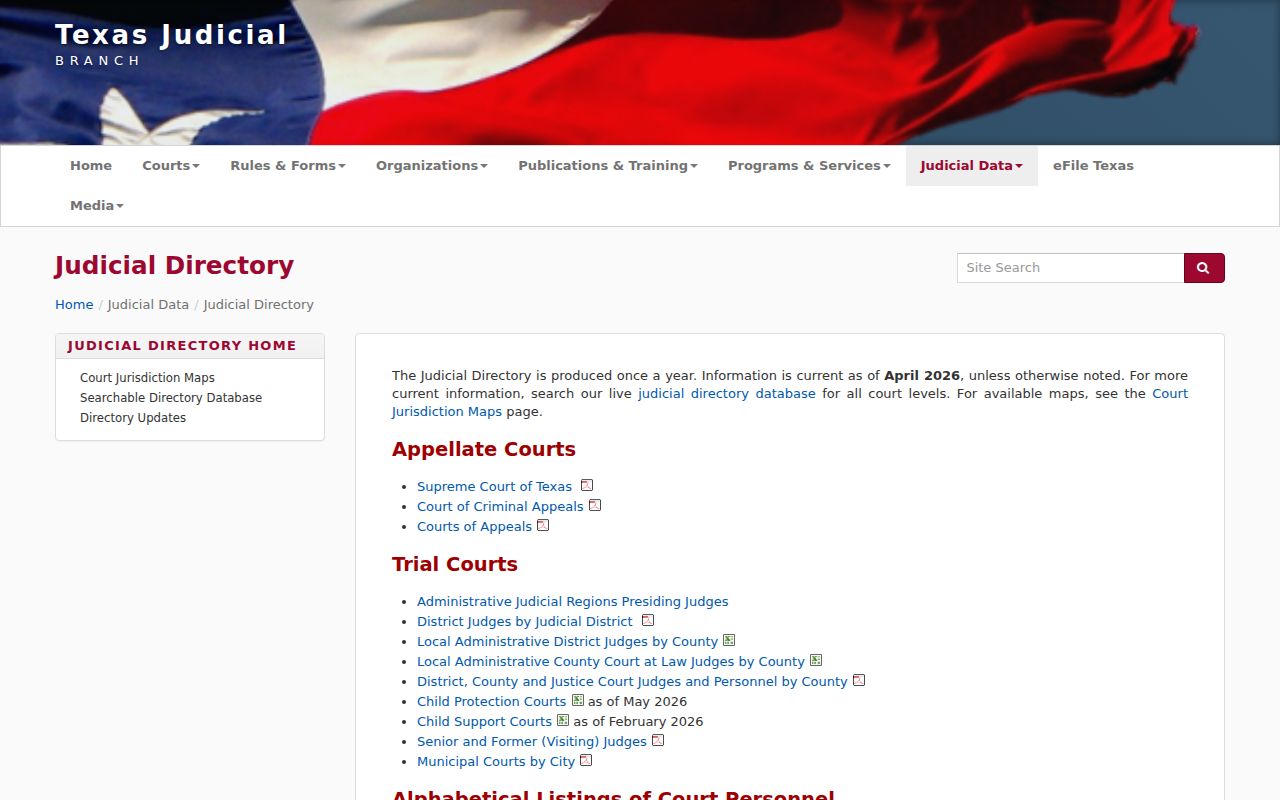
Confirm the court exists, note whom to call, then search that court's docket system.
Presidio County Search Terms
A search label covers one slice of a Presidio County record. The cause number is the court's identifier. The case style is the caption naming the parties. Each docket entry marks a single event or filing line. Disposition means an entered outcome or status. Keep in mind that "Filed" does not mean a claim was proved.
- Setting
- A scheduled hearing, trial, plea, docket call, or other court event.
- Reset
- A later setting that may replace an earlier date.
- Certified copy
- A clerk-authenticated copy, distinct from a search result or downloaded image.
Read any term alongside later entries and the signed order behind it. The Presidio County clerks can confirm what the official record actually contains.
Which Cases Stay Restricted
Not every Presidio County court record is open online. Juvenile files, sealed filings, expunction material, and protected data often stay off public view. Parts of family or protective-order cases sit behind the same wall. The rules that draw these lines are specific. Texas Rule of Civil Procedure 76a governs sealing of court records. Rule 21c covers redaction of sensitive data. Family Code Chapters 58 and 85 protect juvenile and protective-order matters. Code of Criminal Procedure Chapter 55A handles expunction.
A docket search that returns nothing is not always a sign of a restricted file. The cause number may predate online coverage, or a name may be misspelled. The case may sit in a different court entirely. Login limits and delayed entry play a part too. Ask the clerk about the record directly, but do not ask staff to reveal protected contents. A restricted file can be opened only through statute and any court order. The search screen itself never decides that.
No Presidio County Result Found
A missing Presidio County docket result usually just means the search needs refining. Enter the exact cause number first, then try a careful name variant. Confirm the court level: district, county, justice, municipal, appellate, or federal. Then ask the right clerk to verify the number and the filing date. The District Clerk lists (432) 729-3857, and the County Clerk lists (432) 729-4812. JP and city cases run through their own clerks.
Key point: No online result is not proof that no Presidio County record exists.
Coverage dates, court selection, spelling, access controls, and record restrictions can each affect what appears.
When you need an official or certified copy, take the case details from your search into the clerk's record-request process. A vendor result only points you toward a Presidio County case. It is not authentication from the clerk.
Presidio County Certified Search Follow-Up
A search hit and a certified copy are different things. Once you locate a Presidio County case, write down the cause number, the court, and the exact document title. Send that narrow request to the clerk who holds the file. The District Clerk keeps district cases, the County Clerk keeps constitutional County Court and probate cases, and JP and municipal clerks answer for their own courts.
Ask what the clerk can actually provide: inspection, an electronic image, a plain copy, or a certified one. Get a current cost quote too. Do not send payment based on a filing-fee line, since that fee may cover a different service. The clerk can also flag redaction, an access limit, or a record-location problem before delivery. That follow-up turns a portal lead into a copy tied to the Presidio County court where the case began.